
Visual daily planner for iPhone
See your whole day. Make time for your life.
Touchin Grass brings your tasks, activities and Apple Calendar events together on a colourful 24-hour wheel, so you can see what fits before you commit to more.
One purchase of €7.99. No subscription. No account.
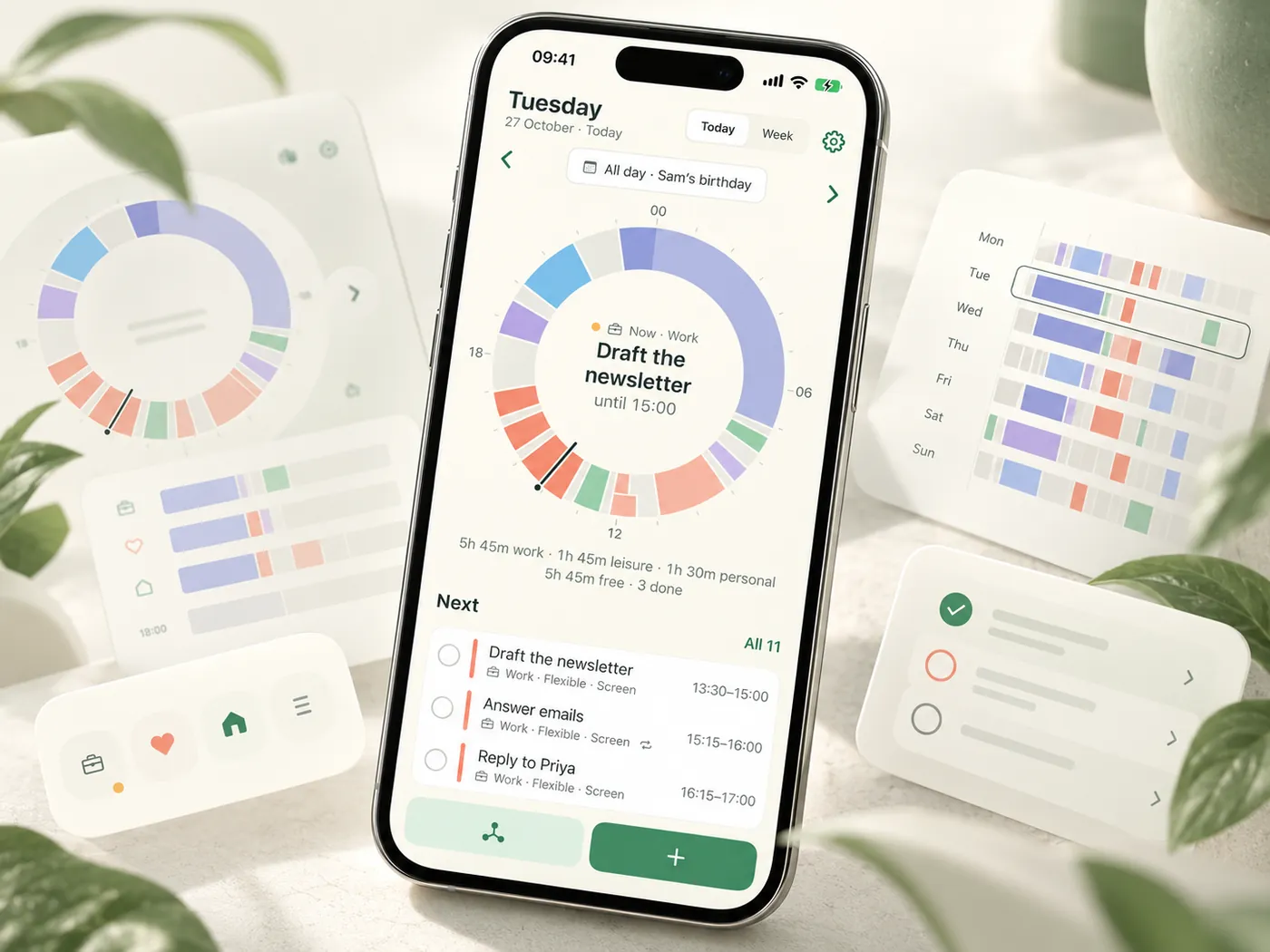
A to-do list tells you what needs doing. Touchin Grass shows whether you actually have time to do it.
A daily planner that shows you time, not just tasks
Most daily planners start with a list. You write down everything you need to do, arrange it by priority and hope there's enough time to get through it. The problem is that a list doesn't tell you how much of your day is already spoken for.
A 30-minute task looks much the same as a three-hour task. Meetings sit in your calendar, errands sit in your head and personal time gets whatever is left over.
Touchin Grass takes a different approach. Instead of treating your day as an endless collection of tasks, it shows your available time visually. Work, sleep, movement, personal time and everyday responsibilities all have their place, so you can see what your day actually looks like before committing to more.
The 24-hour wheel
Your entire day on a 24-hour wheel
A traditional daily schedule runs from top to bottom. Touchin Grass uses a circular 24-hour planner, so you can see the complete day at a glance. Midnight sits at the top and the day runs clockwise.
- NowThe line marks the current time. The centre shows what you are doing and when it finishes.
- Free timeThe neutral ring is time with nothing planned. Here, the evening is free from 17:00.
- SleepSleep crosses midnight as one continuous arc, from 23:00 to 07:00.
- ActivitiesWhere a segment starts is when it happens. Its length is how long it takes. Colour shows the kind of activity.
- Work
- Personal
- Movement
- Everyday
- Sleep
- Free
- Couple Time
- Friends
- Gym
- Touch Grass
Visual time planning without the complexity of managing another elaborate planning system.
Realistic durations
Time blocking that starts with real life
Time blocking means giving activities specific periods of time. Rather than simply writing "finish the report", you decide how long it should take and find somewhere realistic for it to happen.
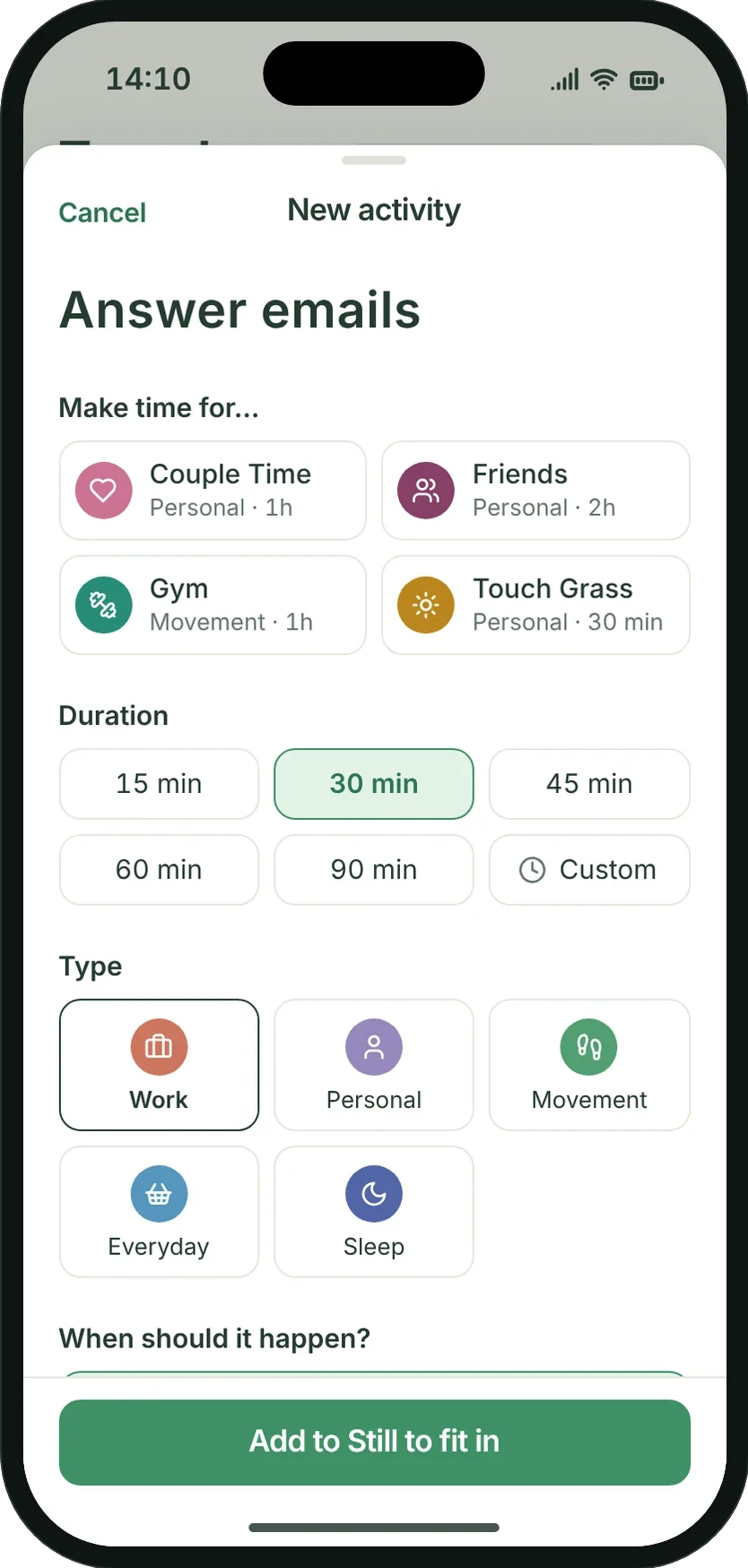
Touchin Grass combines the things you want to do with the time you already have committed. A meeting at 10:00, an hour for lunch, a walk in the afternoon and an evening with friends are all part of the same day.
Add tasks without turning planning into another job
Adding a task starts with a simple question: What needs doing? Give it a name, choose how long it should take and pick a category. By giving every task a duration, an open-ended list becomes something you can genuinely plan around.
Flexible tasks don't land on the wheel straight away. They wait in Still to fit in until you tap Balance my day, which suggests a suitable place for each, so nothing is placed without you seeing it first.
For the things that tend to get squeezed out, Make time for… offers Couple Time, Friends, Gym and Touch Grass with the details already filled in.
- How long?
- 15, 30, 45, 60 or 90 min, or a custom length.
- Type
- Work, Personal, Movement, Everyday or Sleep.
- Flexible
- Waits in Still to fit in until you balance.
- Fixed time
- Stays exactly where you put it.
Good daily planning isn't about filling every available minute. It's about deciding what fits and making peace with what doesn't.
Balance my day
When everything doesn't fit, balance your day
Some days simply have more to do than the hours available. You can keep adding tasks to a list, but that doesn't create any more time.
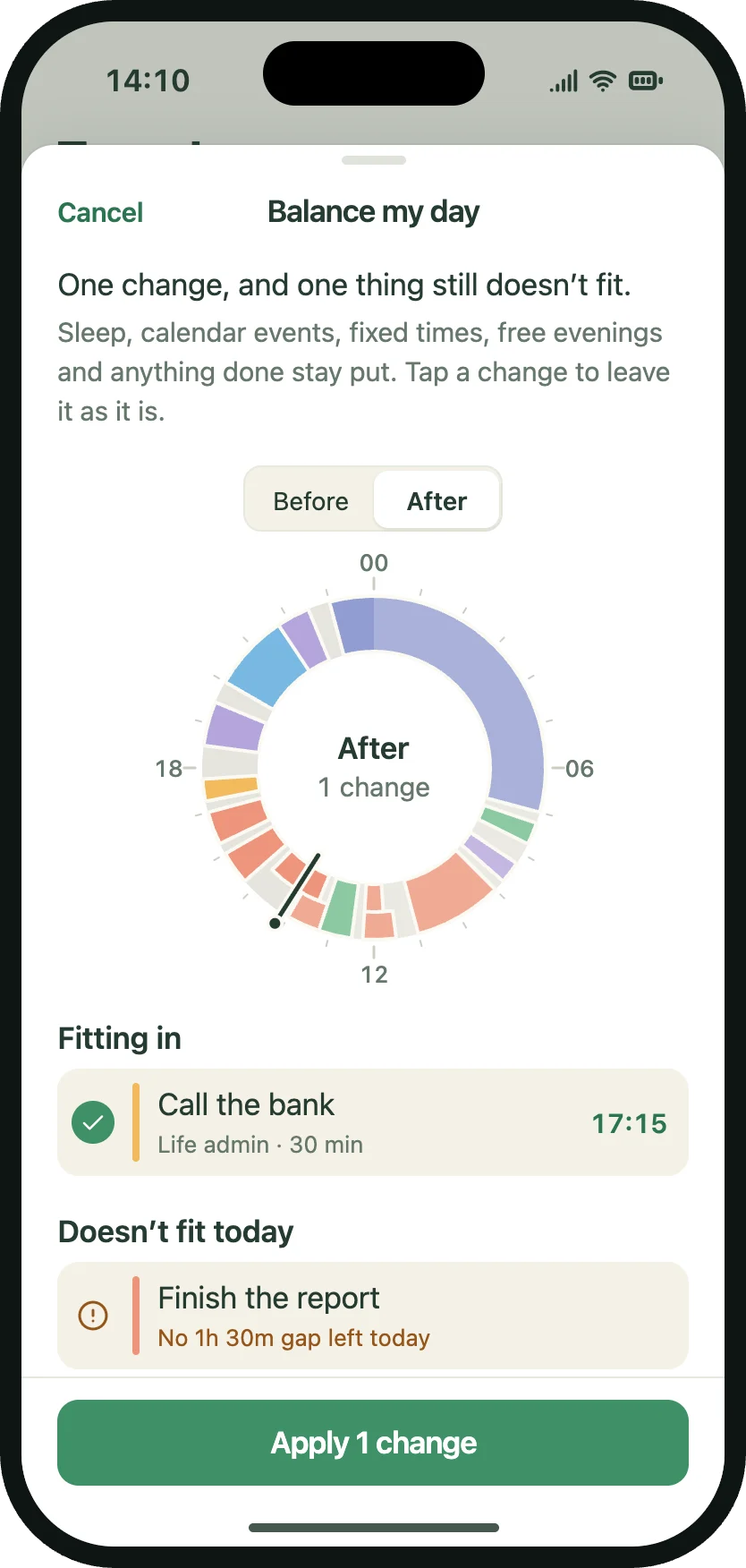
Balance my day takes the flexible tasks still to fit in and looks for free times that suit them, without disturbing the parts of your day that need to stay put.
You review every proposed change before applying it, and can leave any of them as they are. Tasks that can't fit are clearly shown and stay in Still to fit in, rather than being silently squeezed into an impossible schedule. Nothing is removed.
Sleep, fixed times, calendar events, free evenings you protect and anything already done always stay where they are.
The aim isn't to make you busier. It's to give you a workable plan that leaves room for living.
The week
Plan beyond today with a visual weekly planner
A busy Tuesday might be followed by a quiet Wednesday. Something that doesn't fit today could fit comfortably later in the week.
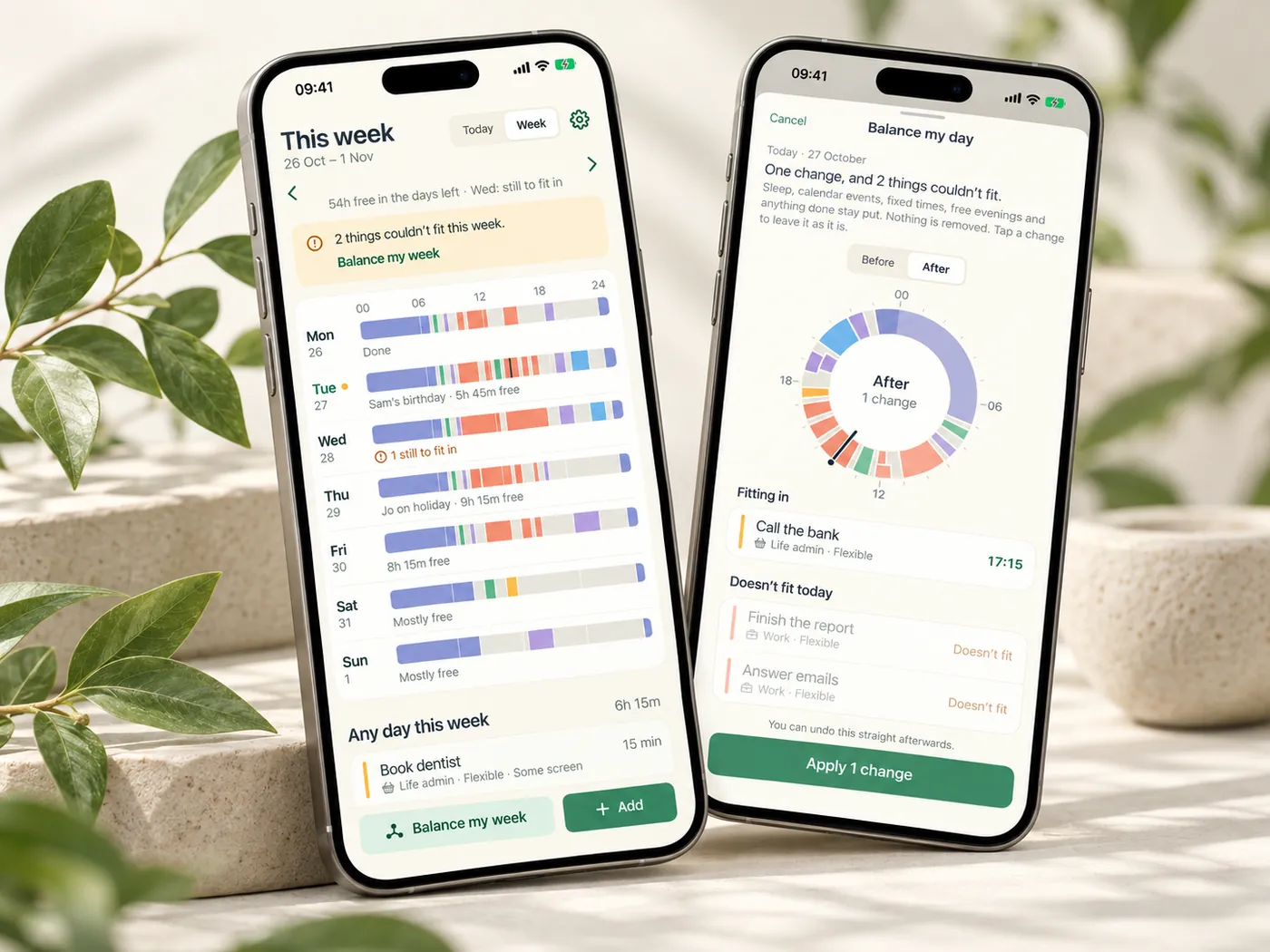
The weekly planner displays each day's activities as a colour-coded 24-hour timeline. Compare busy and quieter days, see where free time remains and spot tasks that haven't yet found a place.
Balance my week works across several days rather than treating every unfinished task as an emergency.
Instead of seven disconnected to-do lists, you get a clearer picture of how your time is divided between work, responsibilities and personal life.
Apple Calendar
A daily planner that works with Apple Calendar
Your calendar already knows about meetings, appointments, birthdays and other commitments. You shouldn't have to enter them again just to plan your day.
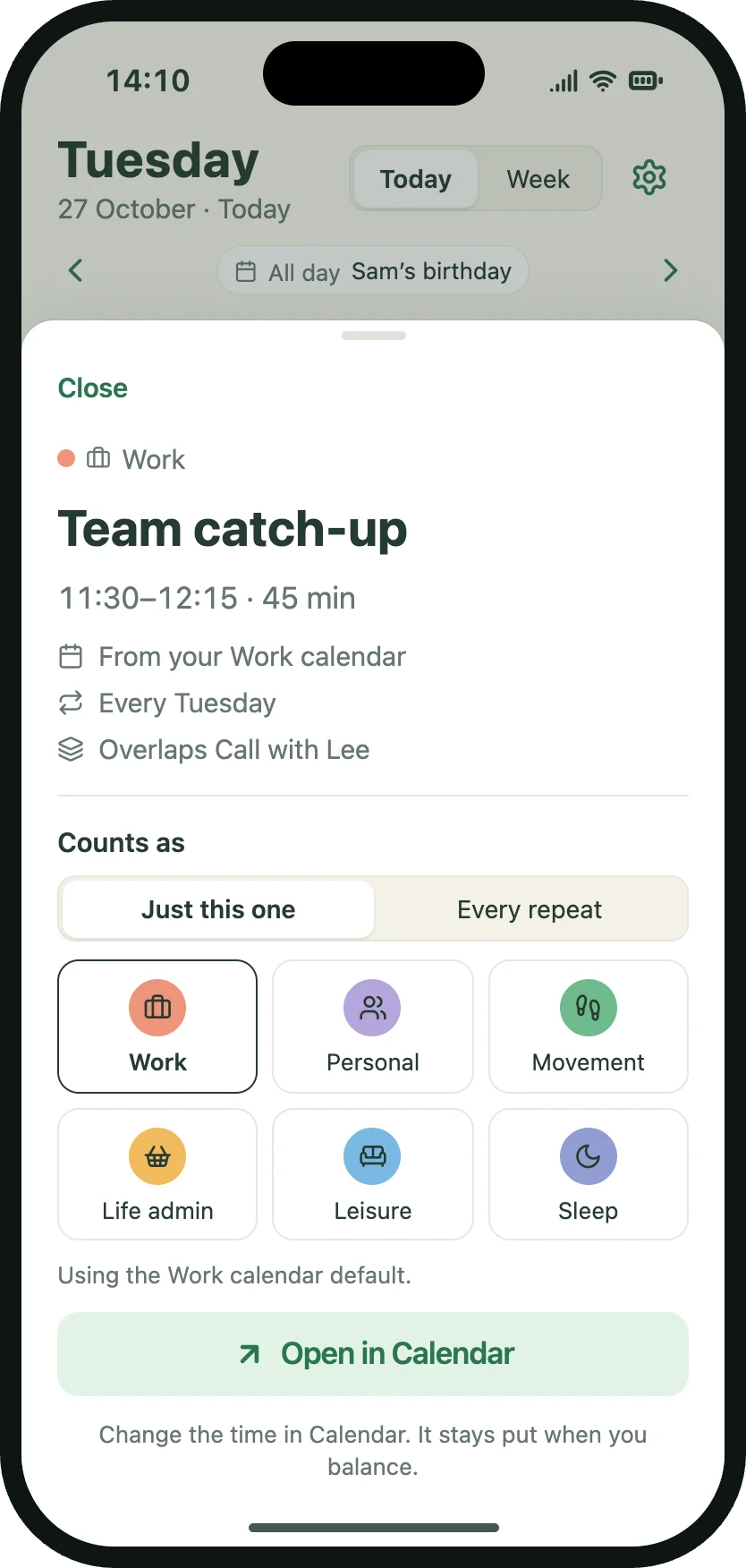
Touchin Grass can display selected Apple Calendar events alongside your own activities, giving you a clearer picture of the time that's already occupied. You plan tasks around existing commitments instead of discovering conflicts halfway through the day.
Calendar events remain in Apple Calendar. Touchin Grass reads them as part of your planning view and never changes them.
How Apple Calendar works with Touchin GrassGetting things done includes having time for yourself
Get things done. Have time to touch grass.
Getting things done matters. So does having a life outside the things that need doing.
Touchin Grass treats sleep, movement and personal time as genuine parts of your day rather than empty gaps between work commitments. Seeing them alongside your tasks can help you recognise when your schedule is becoming unbalanced.
There's no requirement to plan every hour or fill every free space. Sometimes a genuinely good day is one where you finish what matters and still have an evening to yourself. That's the idea behind Touchin Grass.
Frequently asked questions
What is a visual daily planner?
A visual daily planner shows your activities and commitments according to when they happen and how much time they occupy. Rather than relying entirely on a to-do list, it helps you understand the structure of your day. Touchin Grass uses a colour-coded 24-hour wheel to present that information.
Is Touchin Grass a time blocking app?
Yes. Touchin Grass supports time blocking by giving activities and tasks a length and a place in your day. Its visual planner shows planned activities, existing commitments and free time together, and Balance my day suggests where flexible tasks could go, making it easier to create a realistic daily plan.
Can I use Touchin Grass with Apple Calendar?
Yes. You can display events from selected Apple Calendars alongside your planned activities. Calendar access is read-only, so Touchin Grass doesn't edit or remove your Apple Calendar events.
Can I plan an entire week?
Yes. The weekly view shows seven days as colour-coded 24-hour timelines. You can see available time, compare busy days and use Balance my week to review where flexible tasks might fit.
Does Touchin Grass require a subscription or account?
No. Touchin Grass is a one-time purchase without subscriptions, account registration or personal activity tracking.
Make time for what matters
Your day has 24 hours. Your planner should help you make the most of them without making you feel you need to fill every one.

See your time clearly, plan around real commitments and leave room for the things you enjoy.
Get Touchin Grass for iPhoneOne purchase of €7.99. No subscription. No account.